To diagnose and fix latency, start with a systematic approach: assess the network, profile applications, and optimize hardware. Prioritize efficient data serialization using formats like Protocol Buffers, and consider edge computing or architectural redesign to minimize delays.
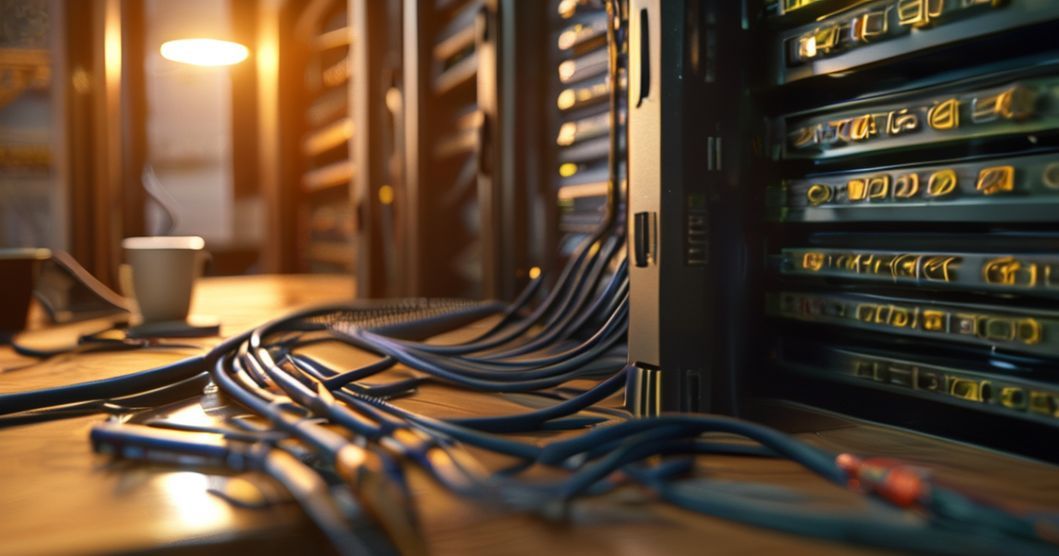
The Latency Conundrum: Diagnosing and Resolving Delays in Modern Systems
The Problem: As a Senior Network Architect, I’ve encountered a pervasive issue across various technology domains: unacceptable latency. Whether it’s a simple light switch that takes too long to respond, a critical event system failing at peak load, or even the inherent delays in satellite communications, latency is the silent killer of user experience and system efficiency. My clients often present me with systems that feel sluggish, unresponsive, and ultimately, frustrating to use. I’ve seen even a 2-second delay in turning on lights become a point of contention, and at a large festival gate, a mere 2-second delay per person can cripple operations.
The Diagnosis
Latency, in essence, is the time it takes for data to travel from its source to its destination and for a response to be received. In software systems, this delay can stem from a multitude of factors, including network congestion, inefficient algorithms, slow processing hardware, or even the physical distance data must travel. For instance, satellite internet inherently suffers from a 1/2 second delay due to the vast distance signals traverse. Similarly, complex AI models, like those powering realistic faces, can exhibit a 1-2 second delay on mid-range GPUs. Even real-time applications like speech-to-speech translation, aiming for seamless interaction, can still have a noticeable 2-second delay.
Step-by-Step Fix
Addressing latency requires a systematic approach, focusing on identifying the bottleneck and implementing targeted solutions. My process typically involves:
- Network Assessment: I begin by analyzing network topology, bandwidth utilization, and packet loss. Tools like Wireshark and ping utilities are invaluable here.
- Application Profiling: I delve into the application code, identifying inefficient database queries, slow API calls, or blocking operations. Performance profiling tools are essential.
- Hardware Optimization: Ensuring that servers, routers, and end-user devices are adequately provisioned for the task is crucial. This might involve upgrading network interface cards (NICs) or processors.
- Protocol Tuning: For specific applications, tuning network protocols like TCP can yield significant improvements.
- Edge Computing and Caching: Moving computation closer to the user or implementing robust caching strategies can drastically reduce round-trip times.
- Architectural Redesign: In some cases, a fundamental redesign of the system architecture might be necessary to eliminate inherent latency-inducing components. For example, asynchronous processing patterns can prevent single points of delay.
| Symptom | Common Cause | The Fix |
|---|---|---|
| Slow UI Response | Inefficient client-side scripting, large asset loading, or slow API calls. | Optimize JavaScript, implement lazy loading for assets, and ensure backend APIs are responsive. Consider using a Content Delivery Network (CDN). |
| Lag in Real-time Applications (e.g., gaming, video conferencing) | High network jitter, packet loss, or insufficient bandwidth. | Implement Quality of Service (QoS) on network devices, use UDP where appropriate, and ensure adequate internet connectivity. |
| Delayed Data Synchronization | Inefficient database queries, network bottlenecks between servers, or poorly designed synchronization logic. | Optimize database indexing and queries, ensure high-speed interconnects between servers, and implement incremental synchronization. |
| Long Load Times for Web Pages | Unoptimized images, excessive HTTP requests, render-blocking JavaScript/CSS. | Compress images, minify and combine CSS/JS files, leverage browser caching, and defer non-critical scripts. |
| High Latency in Remote Access/VDI | Network distance, bandwidth limitations, or inefficient display protocols. | Utilize WAN optimization techniques, ensure sufficient bandwidth, and select efficient display protocols. |
Frequently Asked Questions
A: Tools like ping, traceroute, and specialized network performance monitoring solutions are essential. For application-level latency, use profiling tools within your development environment. For web applications, browser developer tools provide detailed network timing information.
A: No, it’s not always possible to eliminate latency entirely. The speed of light and the physical distance data must travel impose fundamental limits. The goal is to minimize it to an acceptable level for the given application or system’s requirements.
A: Latency is the time it takes for a single bit of data to travel from source to destination. Throughput, on the other hand, is the total amount of data that can be transferred over a period of time. High latency can impact perceived throughput, even if the network has ample bandwidth.
Final Thoughts
Latency is a critical performance metric that impacts every facet of modern technology. By adopting a methodical diagnostic approach, leveraging the right tools, and implementing intelligent optimization strategies, we can significantly reduce delays and create more responsive, efficient, and user-friendly systems. It’s an ongoing battle, but one that yields substantial rewards in terms of user satisfaction and operational effectiveness.
References
Data cited from:
Latency: Reduce Delay in Software Systems 1,
Building a Connected Event Tech Ecosystem: 2026,
How to improve my satellite internet,
Creating interactive worlds with Google DeepMind Gemini 3,
AI News Summarizer.
Report Inaccuracy
We value accuracy. If you find any inaccurate information, please let us know.